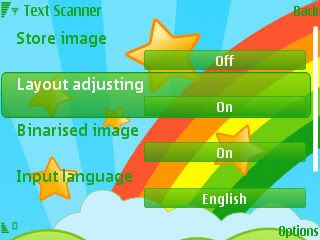
text. So for this and false output results of the Text Reader that I mentioned in my last post, the solution is there in the settings menu, all you have to do is set the Layout Adjusting option on.[/SIZE][/B][/CENTER]
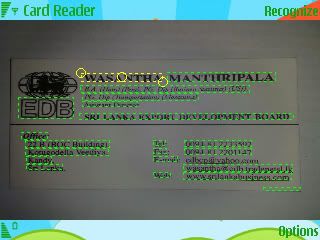
What does this do?, you won't notice the huge difference it makes until you capture a snapshot of a text field or a Business card. But when you start using the application with Layout Adjusting on,as soon after you scan something, you'll be prompted into a snapshot of the text field and on top of it a dotted box marquee with three circles (Vertices),two at the edges opposite to each other and the other one in the middle, by dragging the ones at the edges you can scale and with the middle one you can move the box selecting the text area to be recognized,making it easier to the application to read only the required field. See how it recognize the text areas in Cards and allows us to edit the area accordingly,
check out the above screenshots to see clearly the amount of maneuverability offered in Layout Adjusting.
And the Results of the 2 Business cards I tried to read are shown below,The original card and the extracted data respectively,
Card 1 :
Card 2 :
The reading capabilities are amazing and they can be added to the contacts in an instance. The best thing that you get with the Layout Adjusting is that you can even read the letters in logos as demonstrated above.
And now the Text Reader,same procedure applies and the yielded result can be saved as a note or either sent as a message.See the screenshots below of an article I scanned and tested.
Original Document :
Result, Without the Layout adjusting on,Some characters arent pick correctly.
Result, With the Layout Adjusting on
See how it extracts the text as it is,
//\\// Download74012 \\//\\
[/CENTER]
hgkhso hgq,zd lk k,;dh fhw]hvi hg[]d]([3)Nokia Multi-Scanner v1>1>8


 الناسخ الضوئي من نوكيا باصداره الجديد(ج3)Nokia Multi-Scanner v1.1.8


 العرض الشجري
